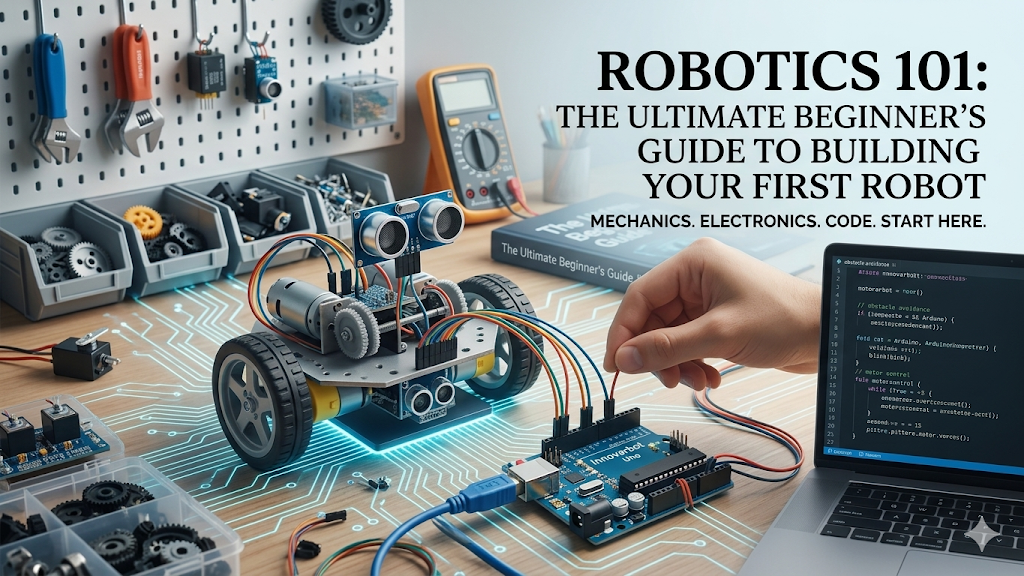
Introduction
Have you ever watched a robotic arm assemble a car with flawless precision, or seen a rover navigate the rugged terrain of Mars, and wondered: How does that actually work?
Robotics used to be a field reserved exclusively for well-funded university labs and massive industrial corporations. Today, things are completely different. Thanks to affordable open-source hardware, powerful microcontrollers, and a massive global community, anyone with a laptop and a passion for building can dive right into robotics.
If you are looking to take your first steps into this exciting world, this guide will lay out the exact roadmap you need to get started.
The Three Pillars of Robotics
Every robot, from a simple automated vacuum cleaner to an advanced humanoid, relies on the intersection of three distinct engineering disciplines.
1. Mechanical Engineering (The Body)
The mechanics of a robot dictate how it physical interacts with the real world. This includes the chassis, the wheels or legs, gears, linkages, and actuators (motors). When designing the physical body, you have to consider weight distribution, torque requirements, and structural integrity.
2. Electrical Engineering (The Nervous System)
Without electronics, a robot is just a static sculpture. This pillar involves wiring up sensors (like ultrasonic distance sensors or cameras) to act as the robot’s “eyes and ears,” and connecting them to a power source and a brain. Microcontrollers process these electronic signals to make sense of the environment.
3. Software Engineering (The Brain)
Software is where the magic happens. It’s the logic that tells the motors when to spin based on what the sensors detect. As a beginner, your code will write simple rules like: “If an object is less than 10 cm away, stop the motors and turn left.”
Must-Have Starter Hardware
You don’t need a massive budget to start learning. In fact, starting small prevents you from feeling overwhelmed. Here is the foundational gear every beginner should look into:
| Component | What it Does | Best Recommendation for Beginners |
| Microcontroller | The “brain” that executes your code and controls components. | Arduino Uno (Simple, massive community support) |
| Single-Board Computer | A full computer used for advanced tasks like computer vision. | Raspberry Pi 4 or 5 (Great for complex logic) |
| Actuators | Physical motors that create motion. | DC Gear Motors or Servo Motors |
| Sensors | Inputs that read data from the surrounding environment. | HC-SR04 Ultrasonic Sensor (For avoiding obstacles) |
Recommended Software & Coding Languages
To breathe life into your hardware, you’ll need to write some code. Depending on your goals, you’ll generally want to focus on these entry points:
- C/C++: This is the standard language used in the Arduino IDE. It gives you low-level control over your hardware components and teaches you how memory management works.
- Python: Ideal if you are using a Raspberry Pi. Python is incredibly beginner-friendly and is widely used for advanced robotics applications like Artificial Intelligence (AI) and Computer Vision.
- ROS (Robot Operating System): Don’t let the name fool you—it’s not an actual operating system, but rather a flexible framework for writing robot software. It is the industry standard for complex, professional robots.
Your First Project: The Obstacle-Avoiding Rover
The absolute best way to learn robotics is by doing. Instead of just reading theory, aim to build an Obstacle-Avoiding Rover as your very first project.
Project Concept: You will take a basic 2-wheeled plastic chassis, mount an Arduino Uno onto it, connect a small motor driver, and place an ultrasonic sensor right at the front.
By writing a simple loop that measures distance, your small rover will autonomously drive around your living room floor, backing up and turning whenever it encounters a wall or a chair leg. Completing this single project will teach you about motor polarization, sensor data loops, and basic chassis assembly all at once.